A B2B order-taking app for your Shopify sales reps
Reps take orders on their phone at each customer's own prices, in a stockroom with no signal or at a trade show, and every order lands in Shopify as a draft order. No re-typing, no wrong price list.
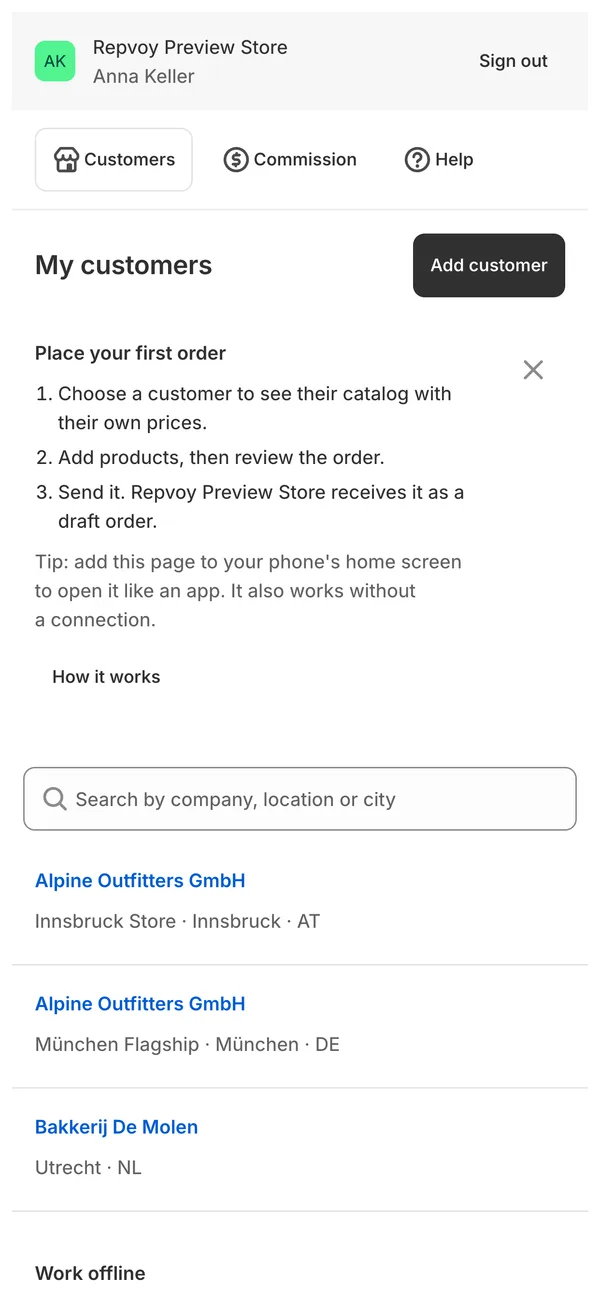
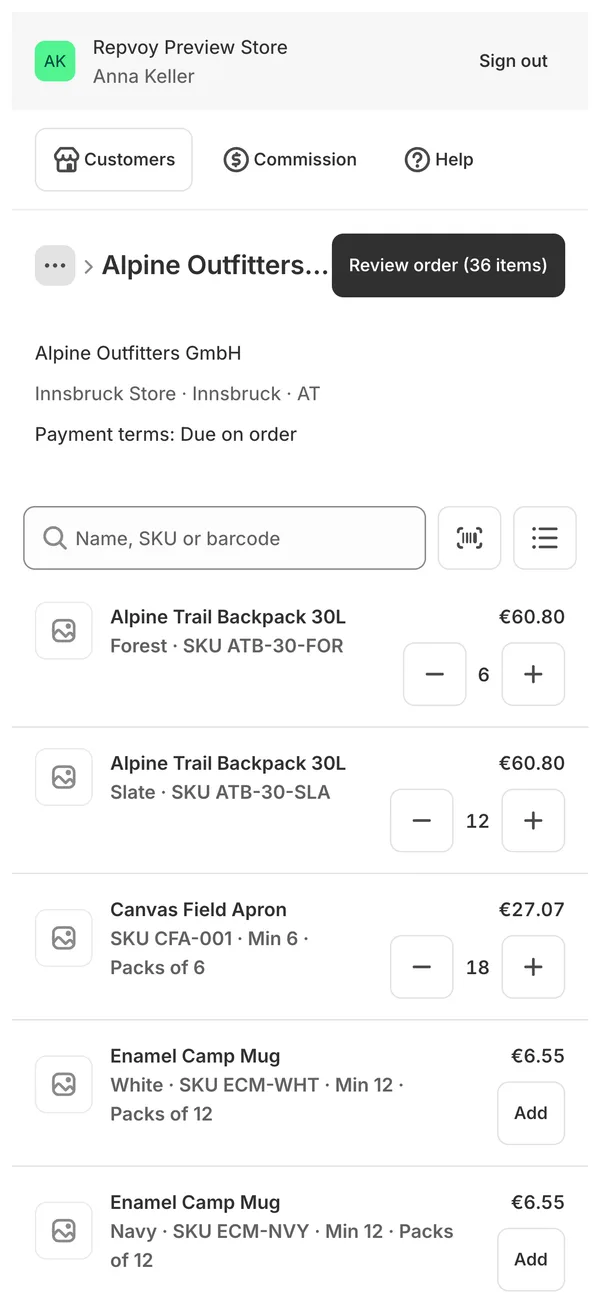
Four steps, from the customer's door to your Shopify admin
-
Pick the customer
On My customers the rep chooses the company and location they're ordering for. They only see the companies you assigned to them.
-
Add products
Search the catalog, photograph a barcode, or paste SKUs and quantities with Quick add. Minimums, pack sizes and maximums are enforced.
-
Review at Shopify's prices
The order review is priced by Shopify for that location, so the total matches the invoice. Add a PO number or a note.
-
Send
The order becomes a draft order in your Shopify admin, or waits in your approval queue if it needs a look. The rep can also reorder a past order in one tap.
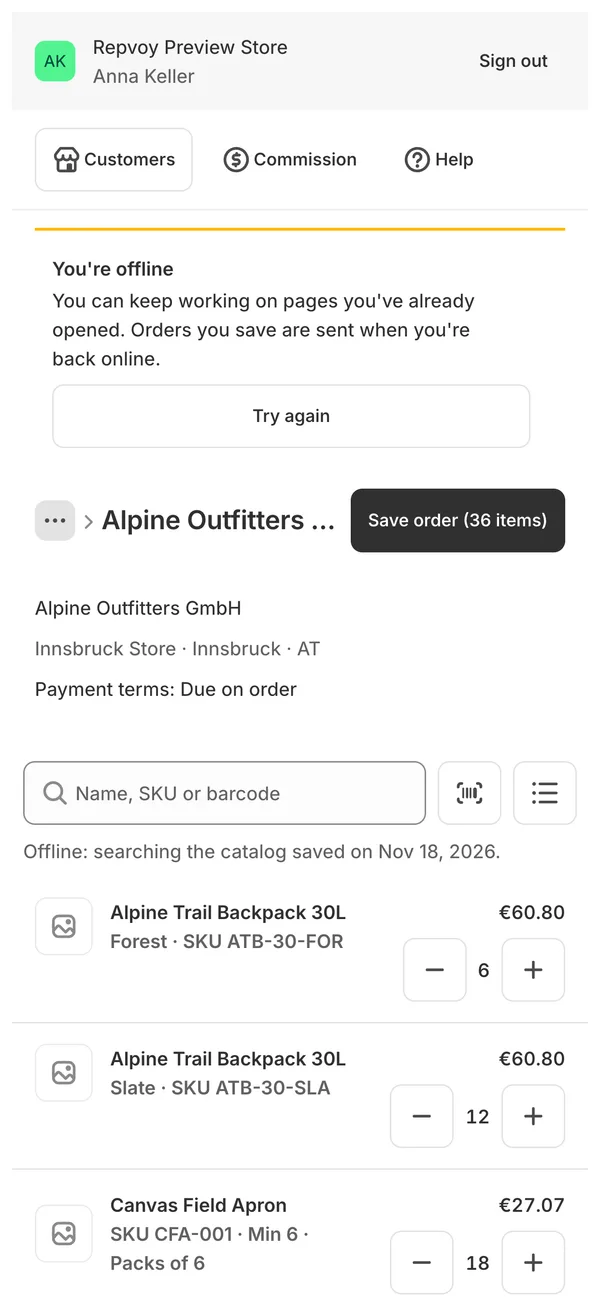
No signal? The order still gets taken.
- Pages a rep has opened keep working offline. Before a trip, Save for offline stores every customer and catalog on the phone.
- Change quantities and save the order without a connection. It is sent automatically when the phone is back online, and never twice.
- Offline, the order shows estimated prices. Prices and stock are checked when it is sent; if something changed, it comes back to the cart to review.
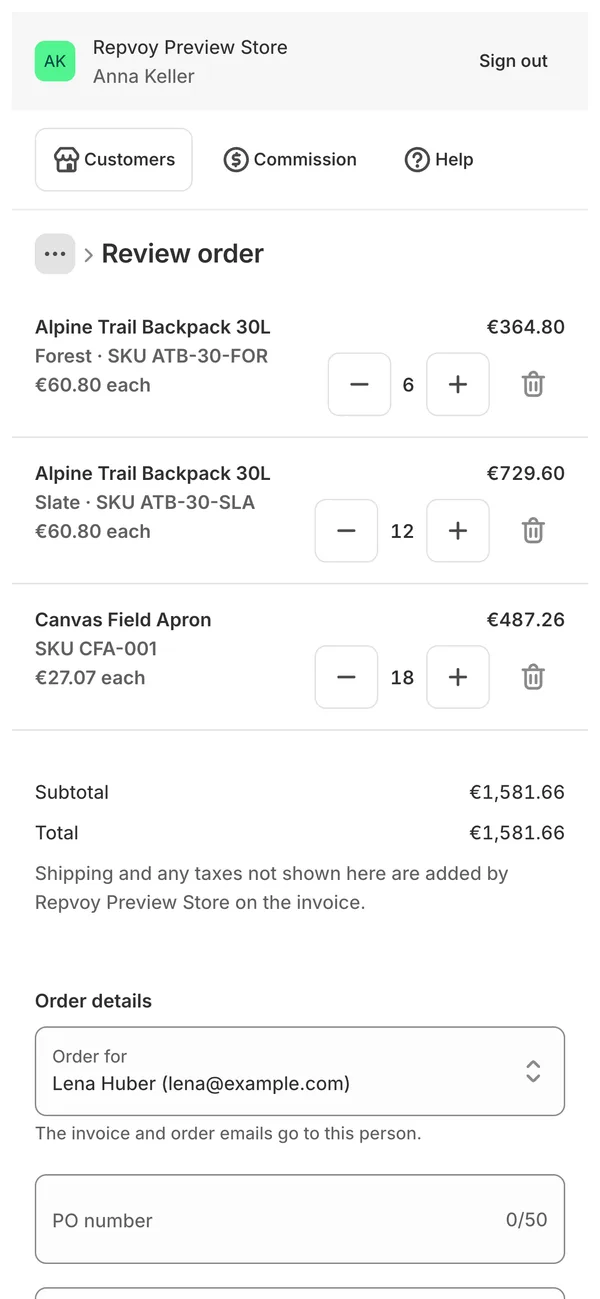
The price the rep quotes is the price Shopify charges
Each company location sees its own catalog, prices, quantity rules and payment terms, as you set them up in Shopify B2B. A location without its own catalog is priced by its country's market. Shipping and some taxes are added on the invoice, as usual.
Quotes as PDF
Save the cart as a numbered quote and send the buyer a PDF with your logo. When they agree, copy it back to the cart and send the order.
Checkout links
Once an order is a draft order, the rep copies its checkout link and sends it by chat or email so the buyer can pay.
Buyer reorder links
Send a buyer a link to reorder from their recent orders at today's prices. What they send waits for approval and counts as the rep's.
New customers on the spot
Met a new buyer? The rep enters the company, a contact and the shipping address. You approve it and it becomes a Shopify company.
Approvals for the orders that need one
Choose what waits: orders above an amount, prices a rep changed, customers over their credit limit, and reorders sent by buyers. Approve and Repvoy creates the draft order; decline with a note and the products go back to the rep's cart. The rep gets an email either way.
Orders and approvals in the docs →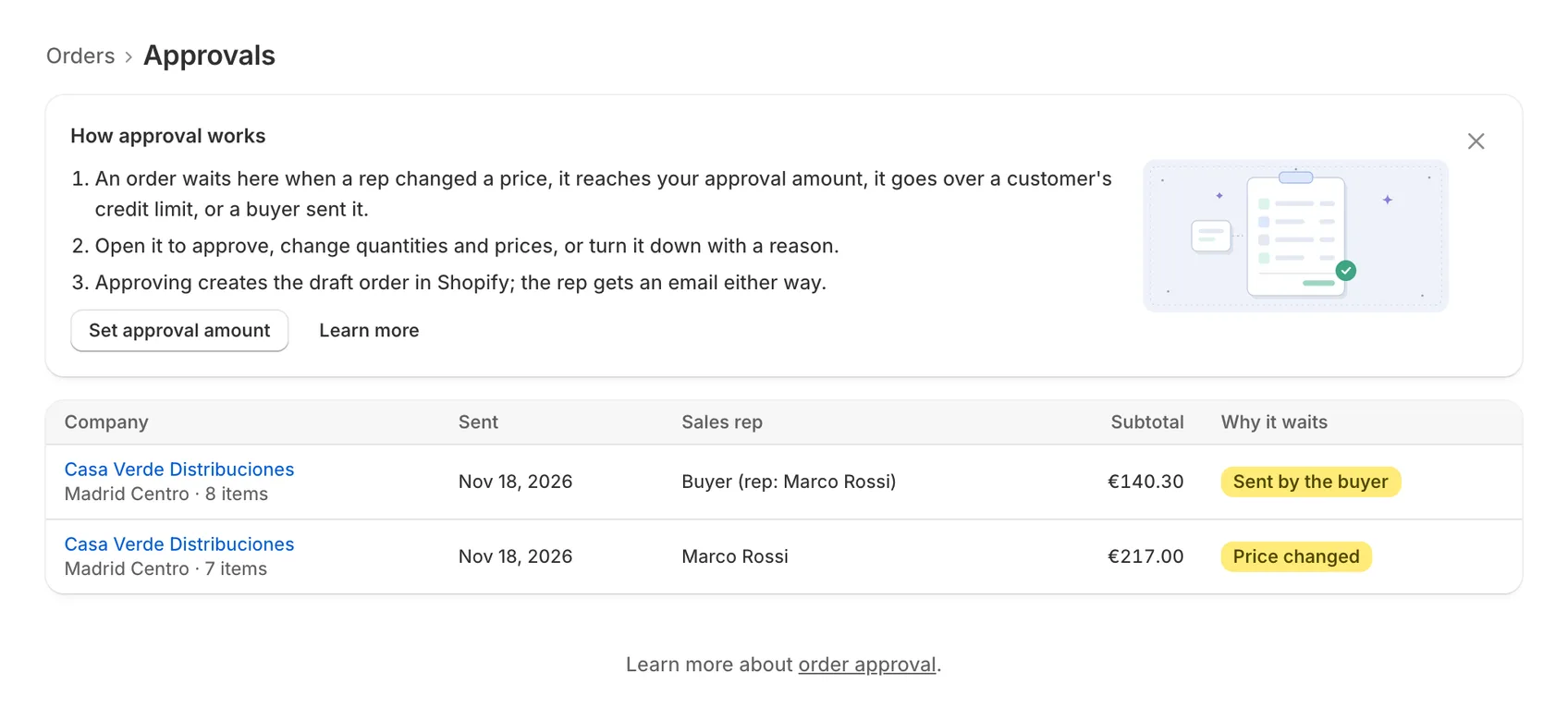
Order-taking questions
Do reps need to install an app from the App Store or Google Play?
No. The portal runs in the phone's browser. Reps can add it to their home screen from Safari or Chrome, and it then opens like an app and keeps working offline.
Do reps need a Shopify staff account?
No. Reps sign in with a link sent to their email; there is no password. They never see your Shopify admin.
Can a rep see other reps' customers?
No. A rep sees only the companies and locations you assigned to them, as primary or secondary rep.
Can a rep change a price?
Only if you allow it for that rep. They change the price on the order review with a reason, and the order always waits for your approval.
What does a rep's order look like in Shopify?
A normal draft order for that company location, with the contact, PO number and note set. You send the invoice from Shopify as usual. Repvoy adds no tags or metafields to it.
Send new reps the rep portal guide.
Give your reps an order pad that knows your prices
Free for one sales rep. Paid plans from $25/month with a 14-day trial.