Sales rep commission for Shopify B2B, without the spreadsheet
Repvoy credits every paid order to the right rep, applies the right rate, corrects itself on refunds, and hands you a statement that adds up when the period closes.
The first rate that matches, every time
For each line of an order, Repvoy walks this list and stops at the first rate it finds. The statement shows which one it used.
- The product's own rateSet under Commissions → Commission rules
- The product's collectionsThe highest collection rate with a rule
- The customer's rateSet on the company
- The rep's rateSet on the sales rep
- Your store's default rateFrom Settings
Illustration with example numbers. Every line in Repvoy shows its own calculation like this.
A ledger that never gets edited, only corrected
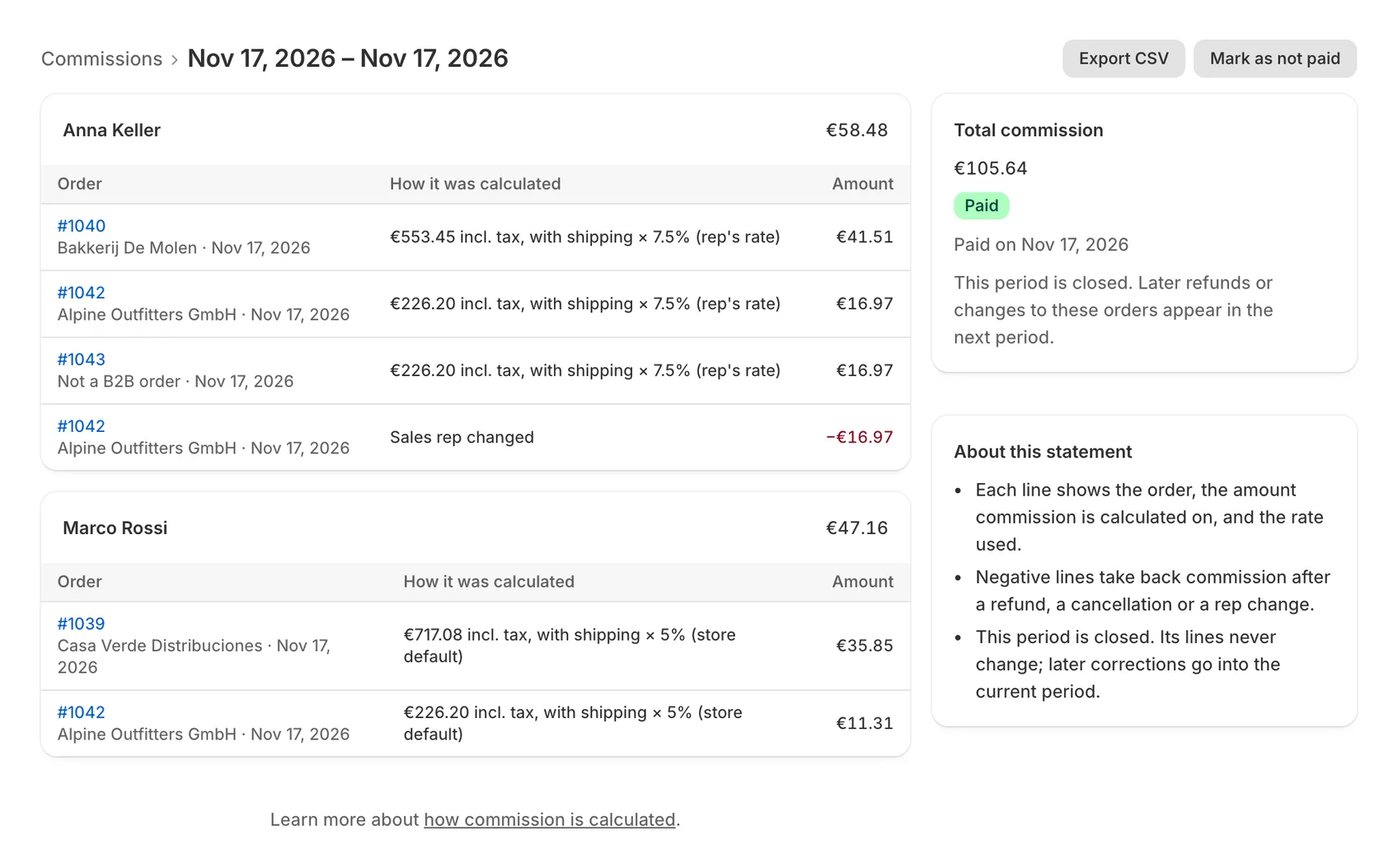
Repvoy never changes a commission line. It adds a new one that corrects the total, so a statement always adds up and every change has a trail.
Refunds and cancellations
A negative line takes back the commission on the refunded amount. Nobody has to remember to fix the spreadsheet.
A different rep
Change an order's rep with a reason: the old rep's commission is taken back and the new rep is credited, both as their own lines.
Late payments
Orders older than 60 days that are paid later can be recorded by hand, with a reason; the commission is added right away.
Splits, managers, tiers and bonuses
The cases that usually break a commission spreadsheet are settings in Repvoy.
Split orders
Share an order's commission with a second rep, by default on a customer or per order. Each rep earns their own rate on their share.
Manager overrides
A rep's manager earns their override rate on the rep's orders, on top of the rep's commission.
Sales tiers
When a rep's sales in a month or quarter reach a tier, they earn its extra rate on all of that period's sales, plus a bonus.
Bonuses and deductions
Add one-off amounts to the current period with a reason the rep can see on their statement.
Close the period, export, mark it paid
- Close the periodIts lines are locked; later changes go into the next period.
- Export the statement as CSVOne row per line, with the calculation.
- Mark it paidReps see the amount move from approved to paid.
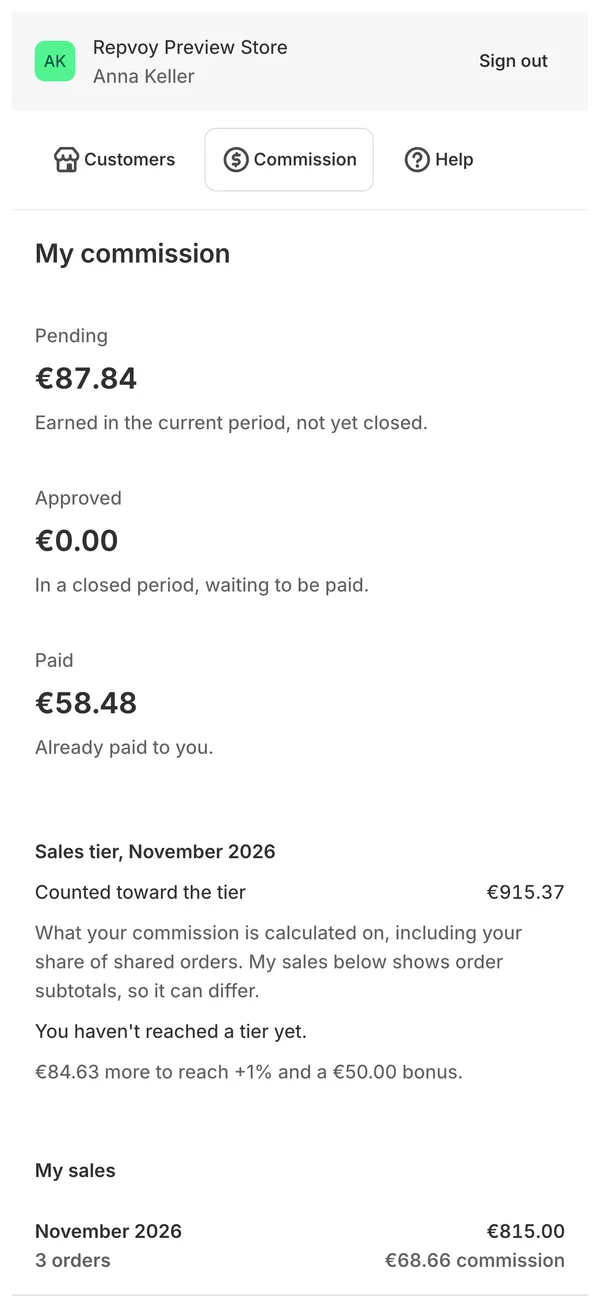
Earned in the current period
In a closed period, waiting to be paid
Already paid to the rep
Commission questions
When is commission recorded?
When an order is paid in full in Shopify. Unpaid orders, including draft orders waiting for the buyer, earn nothing yet.
Is commission calculated before or after tax and shipping?
You choose in Settings: on totals excluding or including tax, and with or without shipping. The calculation of an order is fixed when it is first paid, so changing a setting later doesn't rewrite past orders.
Does Repvoy pay my sales reps?
No. Repvoy calculates and records commission. When you close a period you export the statement as CSV, pay your reps the way you always have, and mark the period paid.
Which orders count?
Every paid order credited to a rep: orders reps placed in the portal, and storefront or admin orders from a customer the rep is assigned to, or with the rep's discount code or order tag. Orders that match no rule are listed so you can assign them by hand.
Can reps see each other's commission?
No. In the portal each rep sees only their own lines, by month, as pending, approved or paid, with the same calculation you see.
The full reference is in the docs: Commission and Orders and approvals.
Stop arguing about commission at month end
Free for one sales rep. Every plan includes the full commission ledger.